
Last updated: 11 November 2026
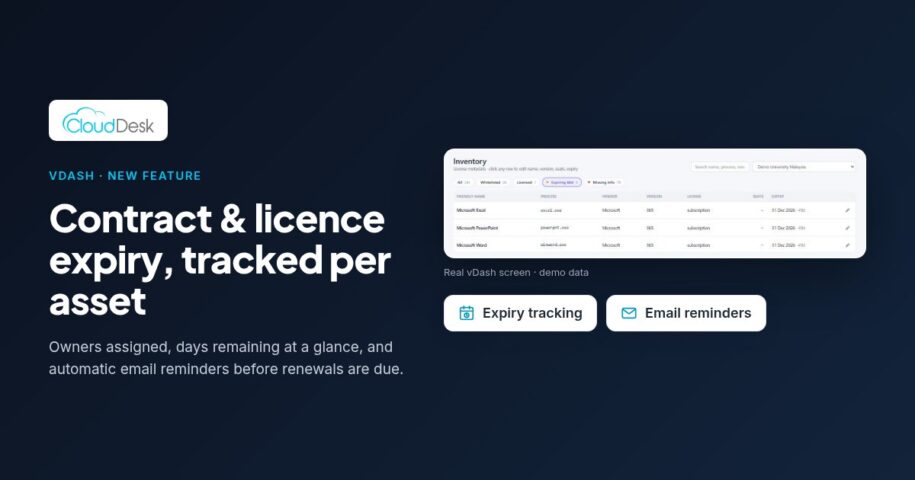
Short answer: The simplest way to stop renewals catching you out is to give every licence and asset an expiry date and a named owner in one place, and let the system remind that owner before the date arrives. CloudDesk vDash now does both: per-asset expiry tracking with owner assignment, and automatic email reminders at several checkpoints before expiry.
Why renewals still slip through
In most universities and colleges, software licences and hardware support contracts are bought by different people, at different times, from different budgets. The expiry dates end up scattered across purchase orders, vendor portals, email threads and a spreadsheet that one person maintains when they have time.
The result is familiar to most IT and lab teams. A licence lapses during the semester, a lab PC drops out of support without anyone noticing, or a renewal quote arrives with too little time to compare options or plan the budget. None of this is caused by carelessness. It happens because nobody owns the date, and nothing reminds them.
Step 1: Put every expiry date in one register
Start by getting the dates out of inboxes and into a single register. In vDash, the application and machine inventory already lists what is installed and running across your labs, so you are not starting from a blank sheet. You can set an expiry date against each software licence or hardware asset and see the days remaining at a glance.
If your current dates live in a spreadsheet, you do not need to re-type them. vDash supports CSV and Excel import with a clean template, which covers fields such as licence counts, app names, versions and departments.
Step 2: Give every contract a named owner
A date without an owner is just a reminder that nobody acts on. vDash lets you assign a contract owner to each software licence or hardware asset. That might be the lab manager for a specialist engineering package, the faculty IT lead for a departmental tool, or central IT for campus-wide agreements.
Ownership also creates accountability. vDash keeps a full audit trail of who assigned an owner, when, and what changed, which helps when staff move roles or when someone later asks why a contract was or was not renewed.
Step 3: Let reminders do the chasing
Once dates and owners are in place, vDash sends automatic expiry email reminders to the assigned contract owner at several checkpoints before expiry. Each email includes the asset name, the contract owner and the exact expiry date, so the person receiving it knows exactly what is due without logging in to look it up.
Because the reminders come from the system, nobody has to keep a personal calendar of renewal dates or chase colleagues by hand. The dashboard widget also highlights what is expiring soon, so the IT team can see the overall picture at a glance.
Step 4: Use the lead time to make better renewal decisions
Early warning is only useful if you use it. When a reminder arrives, check how the software is actually being used before you renew. vDash already shows usage by user and department and peak concurrent licence use per app, so you can compare what you are paying for with what your labs really need.
- Is the licence still used, and by which departments?
- Does peak concurrent use match the number of seats you are renewing?
- Is the hardware still needed, or is it due for replacement rather than another support term?
- Has the owner changed since the last renewal?
Answering these questions weeks ahead, rather than days, gives you room to negotiate, re-scope or retire what you no longer need.
A simple routine for lab and IT admins
Many teams find a light, regular routine works best. At the start of each semester, review the dashboard for anything expiring soon and confirm that each item still has the right owner. During the semester, let the email reminders prompt action. At budget time, export the inventory to CSV or Excel in one click and use it as the basis for next year’s plan.
Try it on your own labs
Contract and licence expiry tracking and automatic email reminders are two of six new features now live in CloudDesk vDash. vDash is offered as a per-PC annual subscription, and you can see how it works on your own machines with a free 2-week pilot.