Monitor Your Users, Machines and Applications Usage
CloudDesk vDash is a simple and customizable monitoring, metering and reporting tool, to gather and display usage statistics on a dashboard online
CloudDesk vDash
Key Benefits
1. Optimise Resources Utilisation
CloudDesk enables you to monitor itemized or grouped IT resources, providing you a clear understanding of its utilization rate and how you can optimise ROI and costs savings
2. Supports Customisation & Multiple Businesses
It allows you to create and customise your own users, machines, applications, licenses and inventory listings and groupings. It also supports management of multiple business entities or units, hence providing both choice of filtered and/or consolidated reporting.
3. Cloud-based and multi-tenanted
It is cloud-based and multi-tenanted, allowing authorised access by intended personnel anytime, anywhere even across geographical spread
How It Works
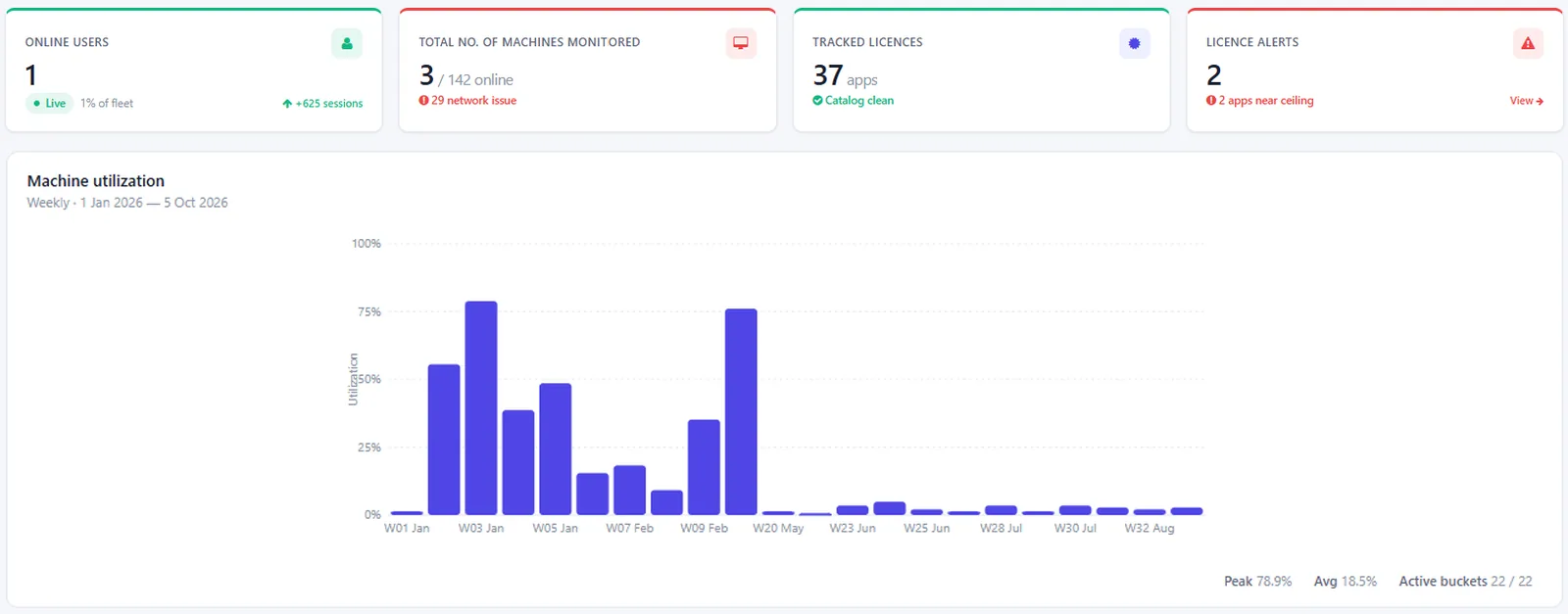
One dashboard for live users, fleet health, licence alerts and weekly lab utilisation.
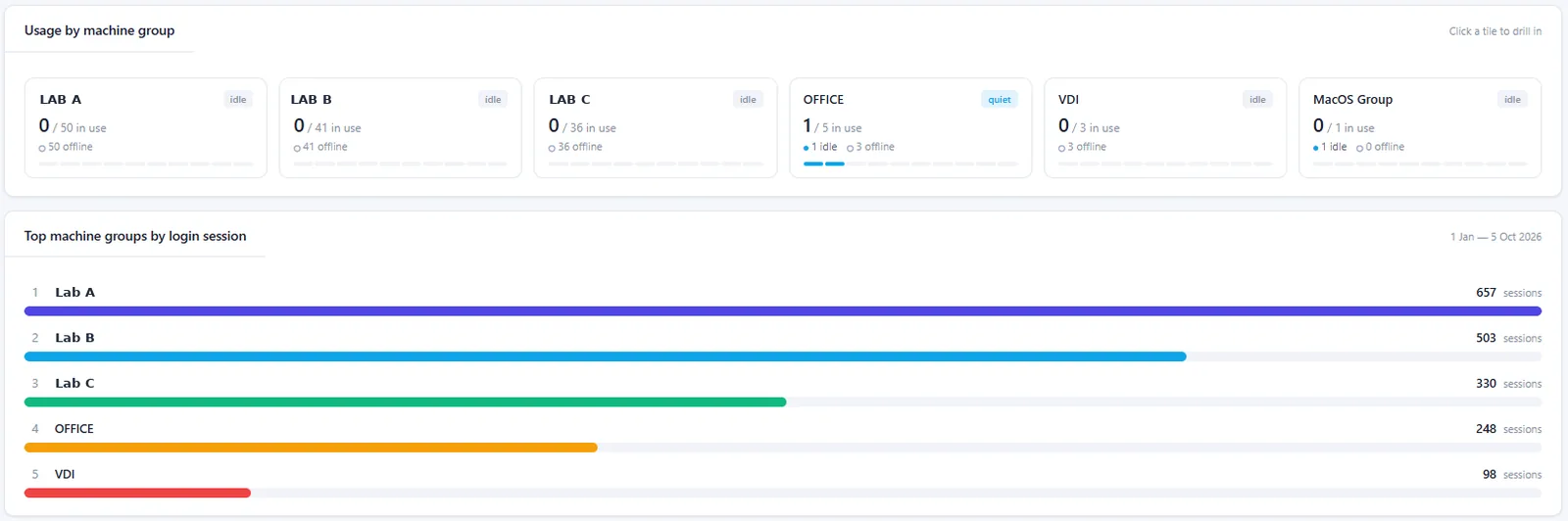
See which labs are busy, idle or offline, and rank them by login sessions.
See the insights in vDash
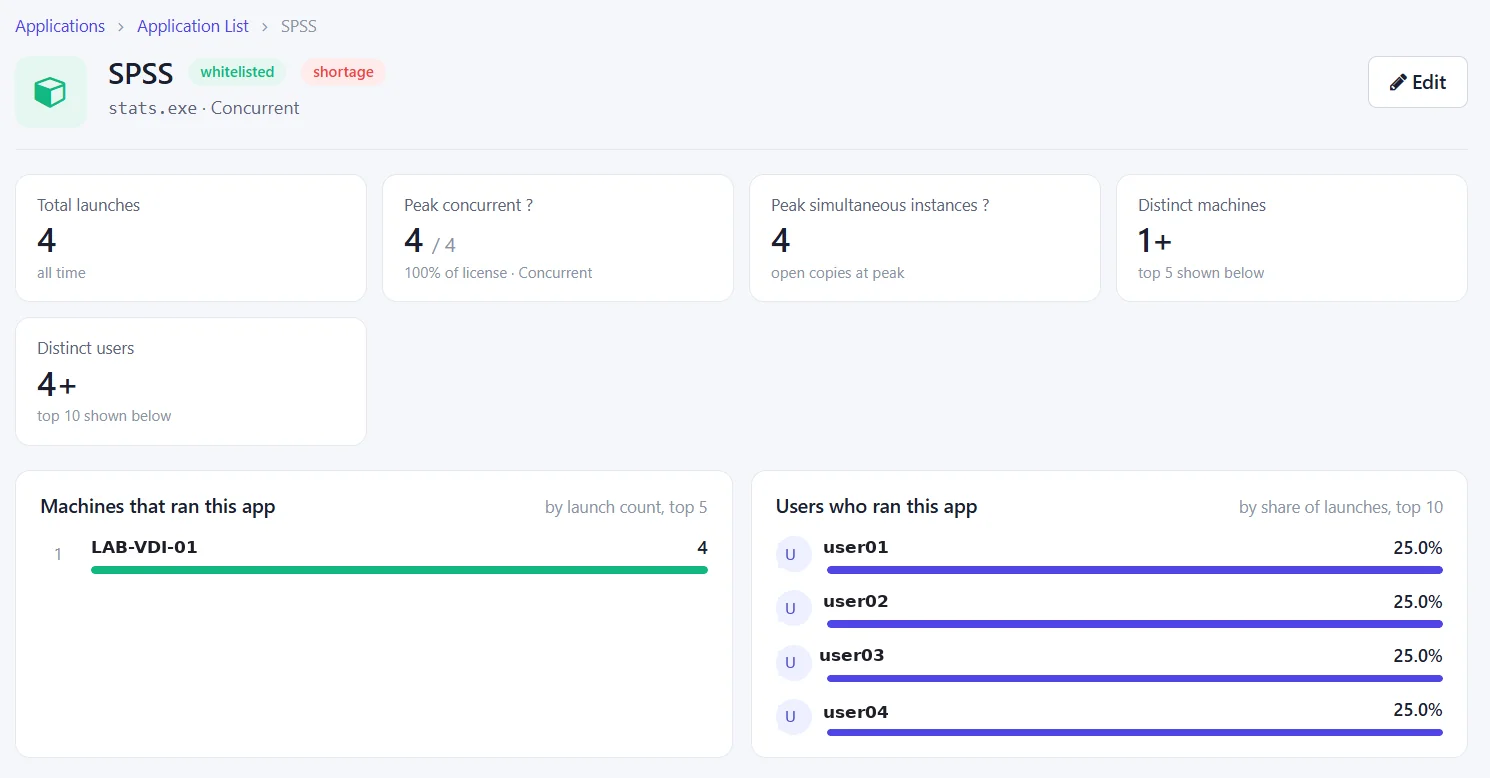
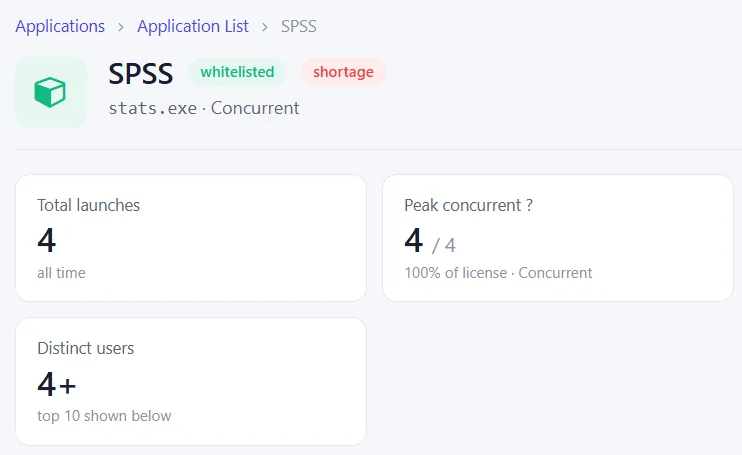
Real vDash screens (names and machine details anonymised). Each one turns lab usage data into a decision you can act on.
Peak concurrent licence use
See peak concurrent licence use per app, so you buy for real demand, not installs.
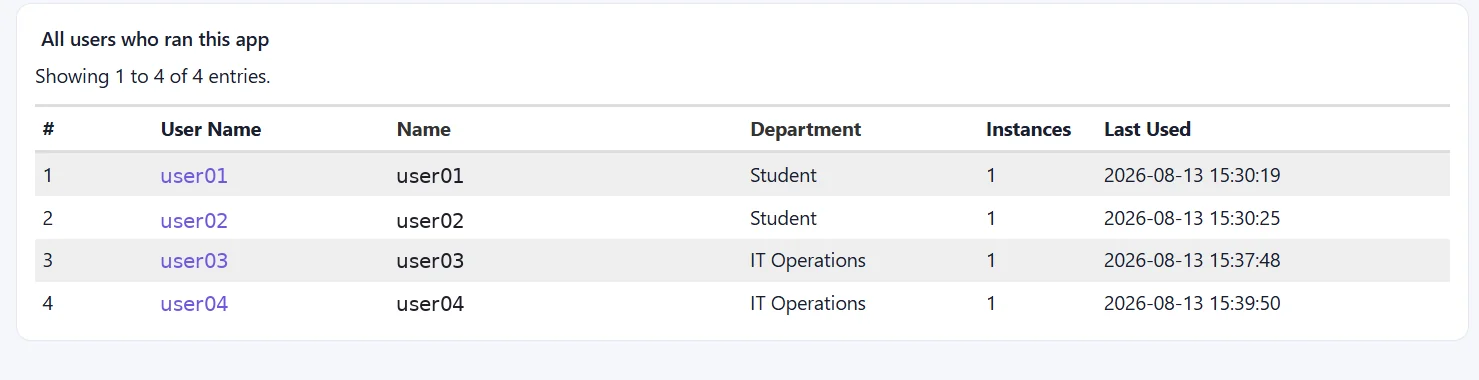
Usage by user and department
Know which departments actually use each licensed app, and when.
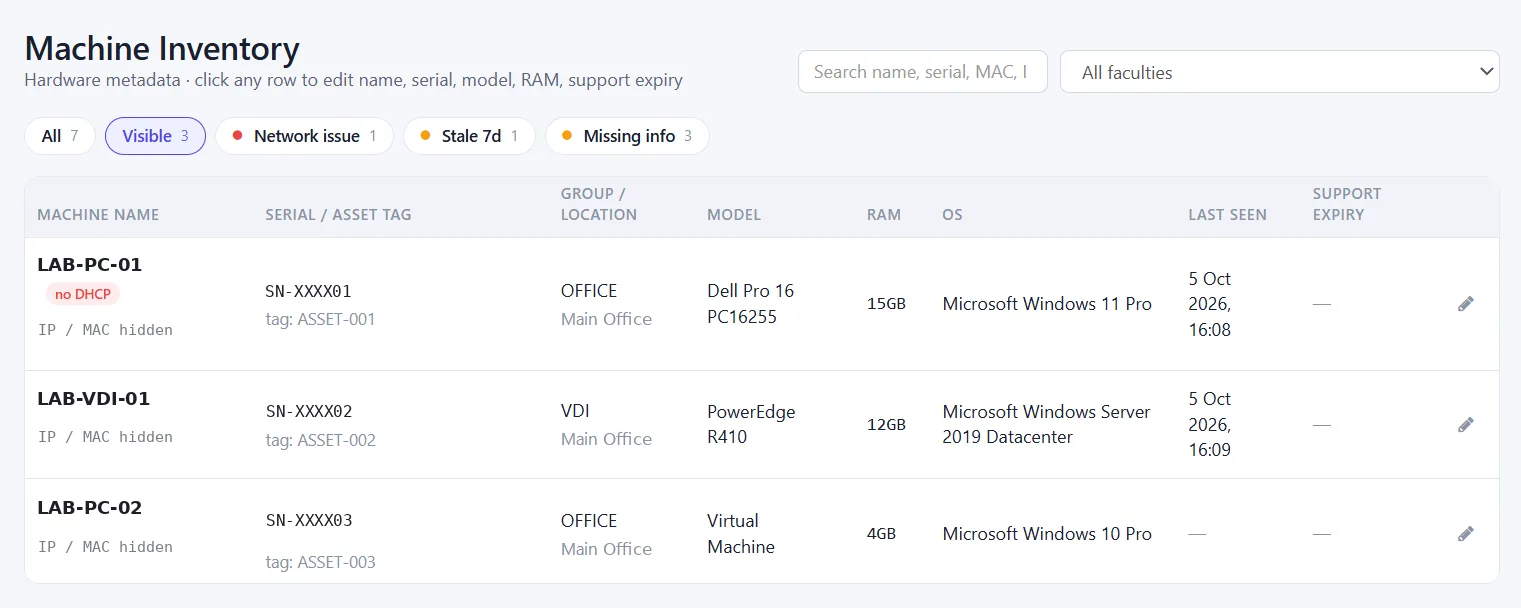
Live machine inventory
Spot stale, offline or incomplete PCs at a glance and keep the asset register accurate.
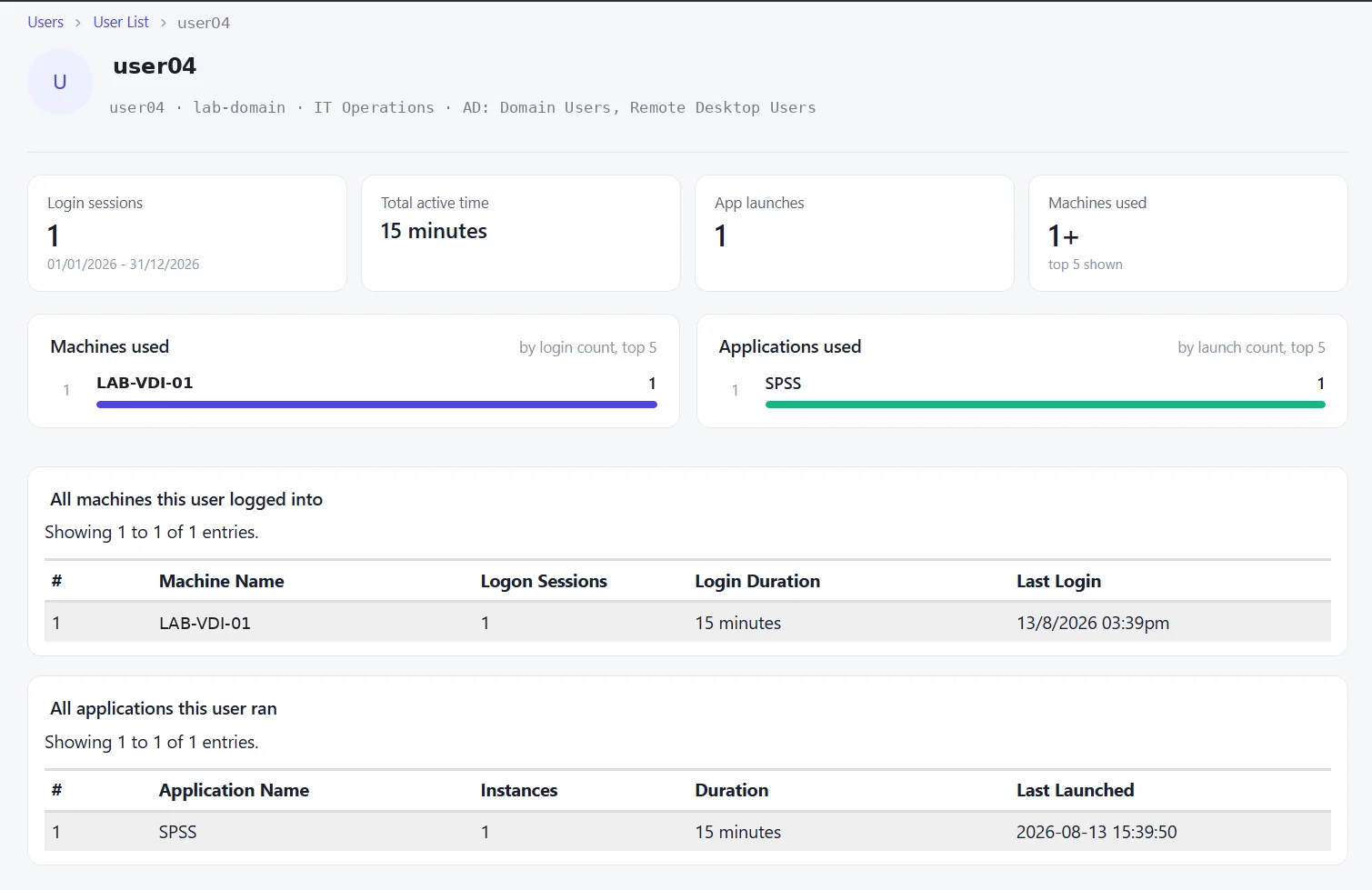
User activity, end to end
Trace how one user uses lab PCs and applications, from logins to app sessions.
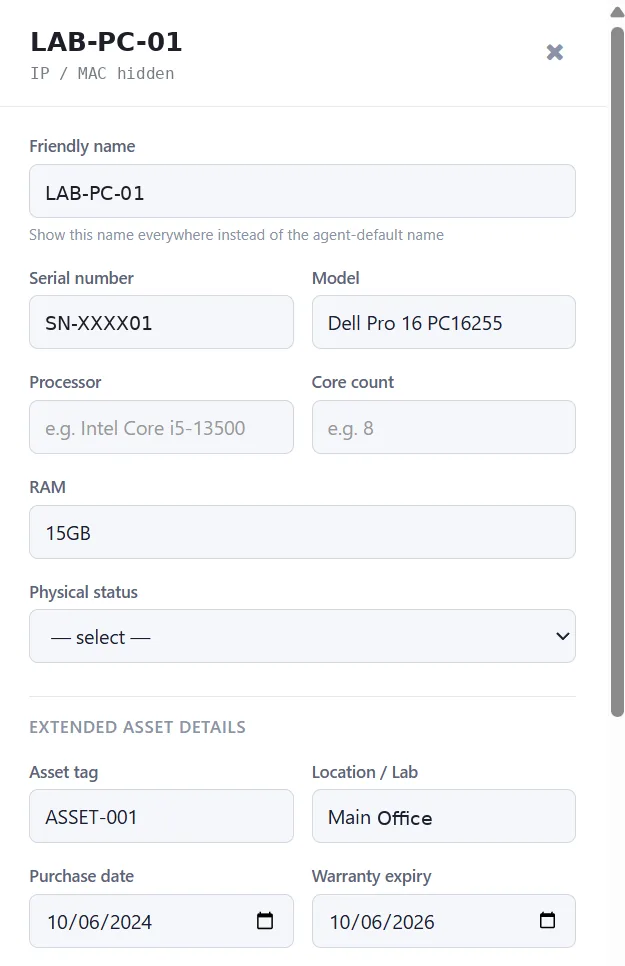
Asset and warranty tracking
Track warranty and support expiry per PC so renewals never catch you out.
Get Started Today!
Contact us to learn more about our products and services.