vDesk: every lab PC, managed from one server

Image, refresh and manage every lab PC from one server.

Desktop Streaming With Offline Capability

vDesk is a desktop virtualization and management platform, whereby the client can be managed through a single application. All operating systems, application software, policies and data are stored centrally in server.

Having a large number of shared computer resources results in many challenges for IT teams who have to manage each desktop individually. CloudDesk vDesk helps organizations deploy and manage standardized desktops across their lab or computer center infrastructure.

Desktop images are compiled in a central server and can be painlessly provisioned by a central administrator to different machines or rooms depending on usage requirements.
Key Benefits

1. Centralised Lab / Kiosk Computing Management

Single “command and control center” for infrastructure and resources which may be spread across multiple buildings or even campuses.

2. Image Management

Easily capture multiple “golden images” that can instantly be deployed to any networked computer.

3. Patch / Upgrade Management

Install new software, patches and upgrades centrally once and instantly deploy to all machines.

4. Offline Access Capabilities

Users can continue working even if the network connection goes down.

5. Security / Remote Control

Machines can be configured to reset on every restart ensuring that every user receives a clean environment. IT manager can remotely take control of each desktop access to reduce potential threats

See vDesk in 35 seconds

vDesk: update once, start clean with every reboot. Book a 30-minute demo.

How it Works and Delivers

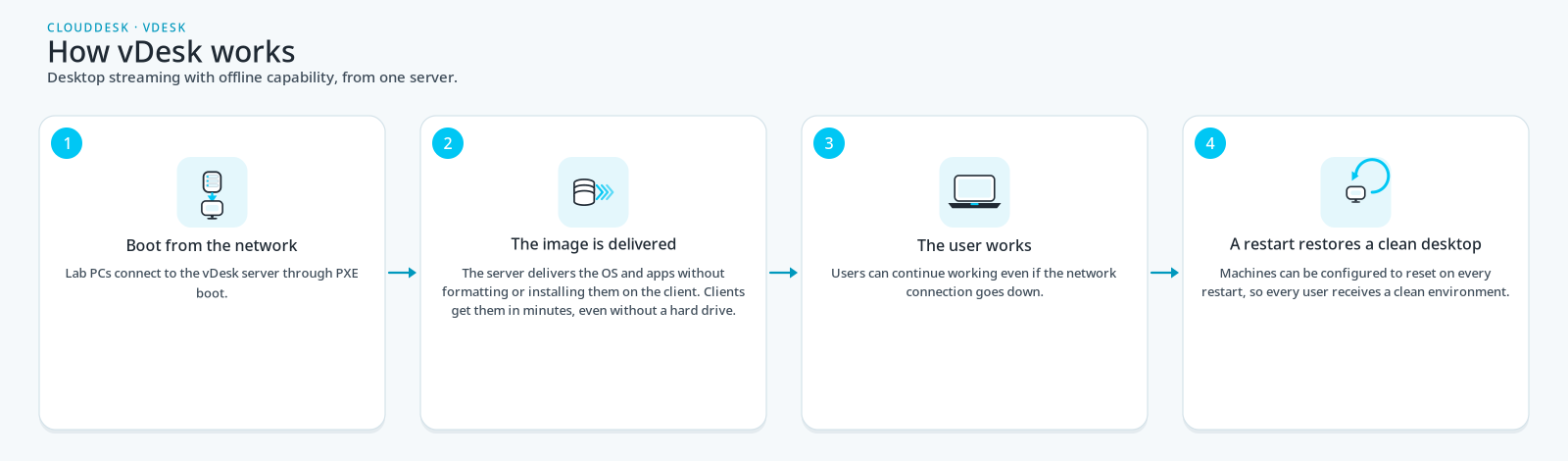
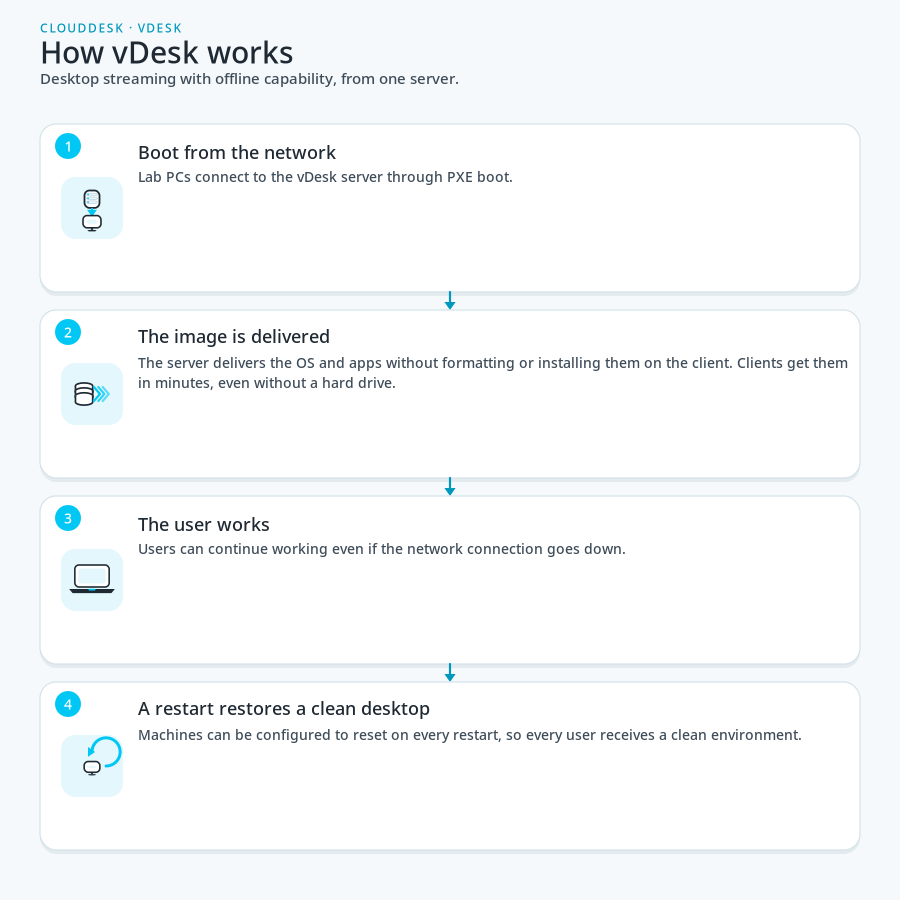
Four steps showing how vDesk works: lab PCs boot from the network with PXE, the OS and apps are delivered without installing them on the client, the user works — including if the network goes down — and a restart restores a clean desktop.
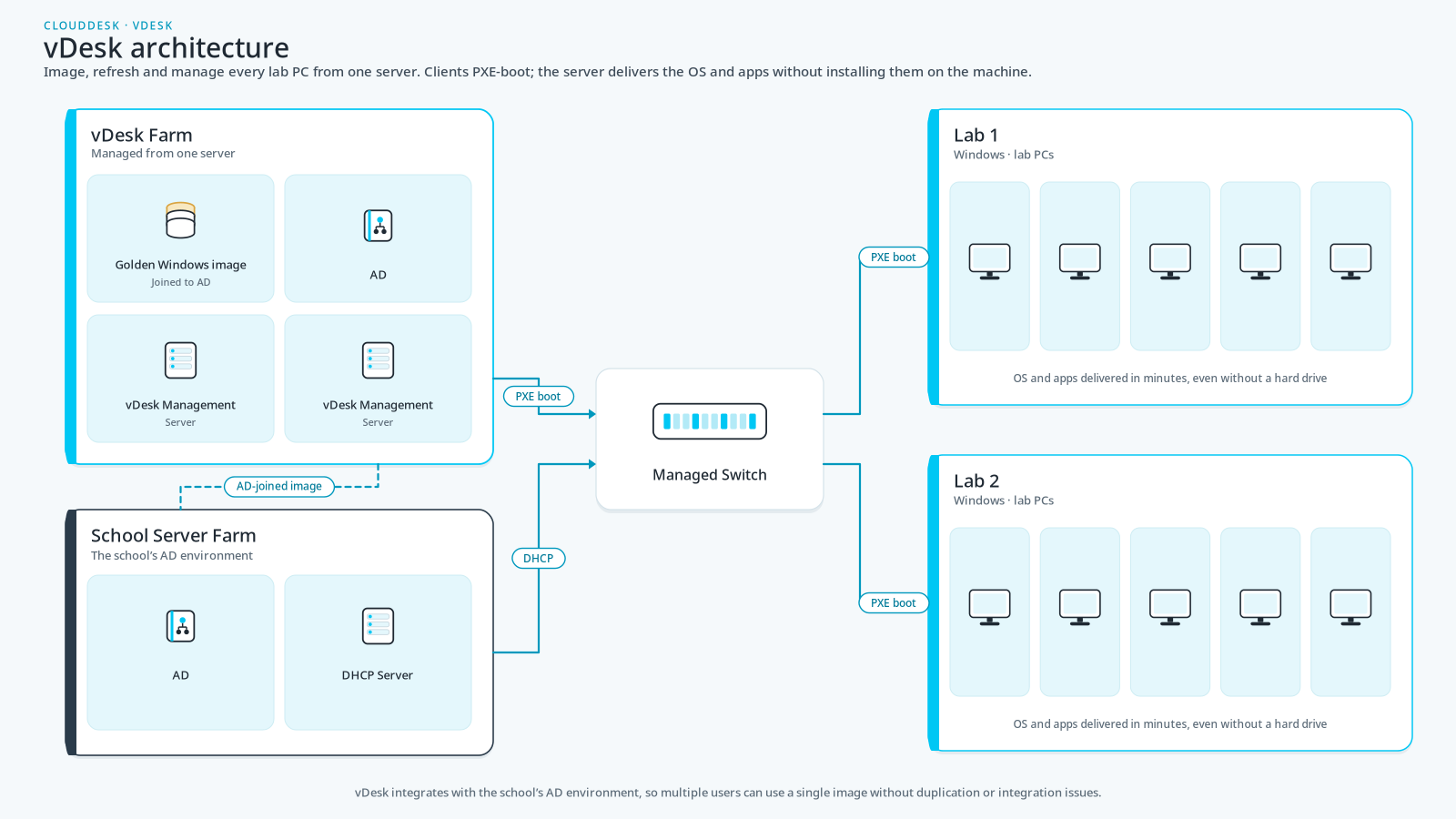
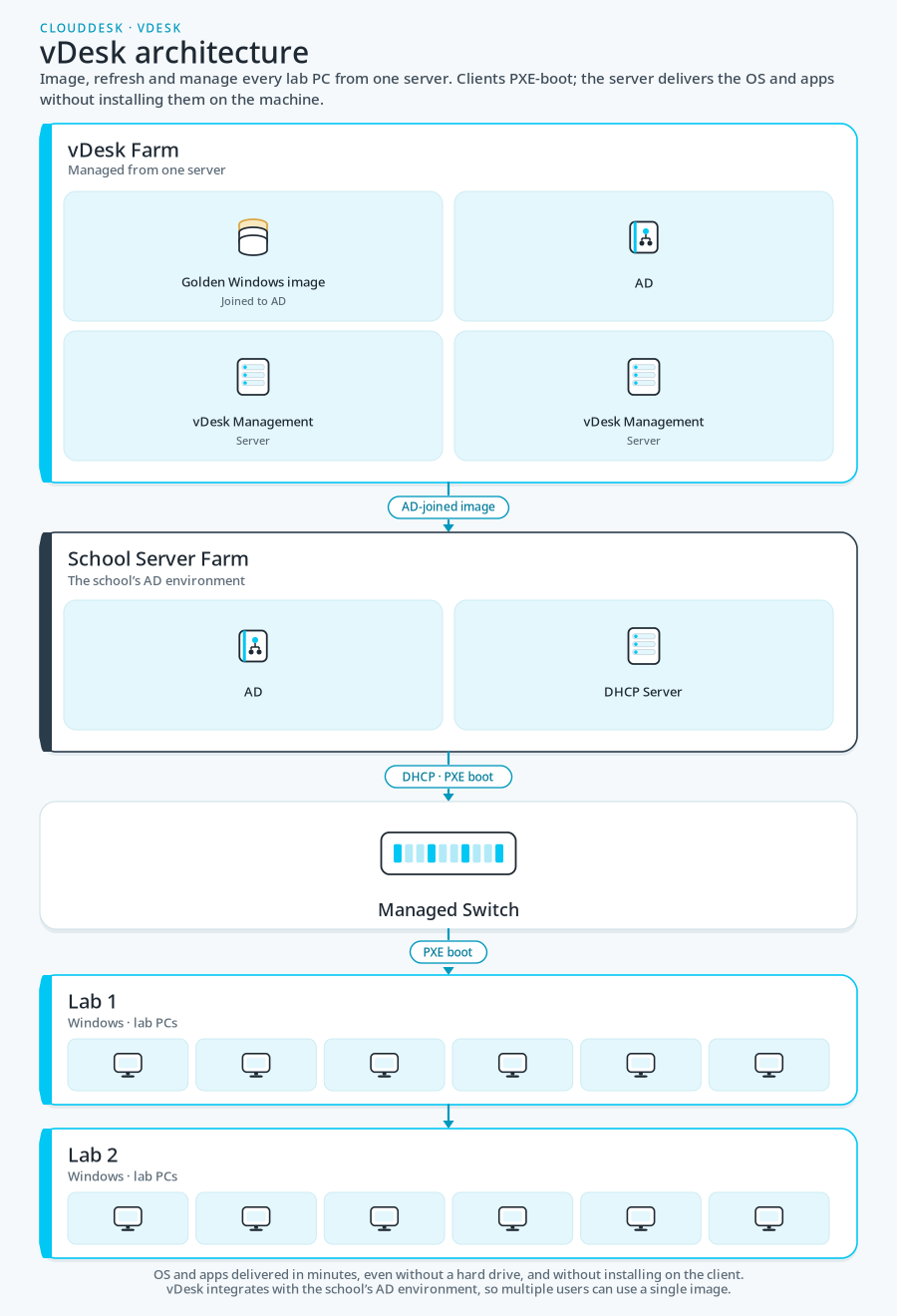
Diagram of vDesk architecture: a vDesk Farm with a golden Windows image joined to Active Directory and two vDesk management servers, a school server farm with AD and a DHCP server, a managed switch, and Lab 1 and Lab 2 PCs that PXE-boot to receive the OS and apps.

Get Started Today!

Contact us to learn more about our products and services.